
For years, I used a traditional paper lesson plan book.
It worked well enough for recording what I planned to teach each day. I could look back and see the order of my lessons, when I gave an assessment, or how long a unit took.
The problem was not writing the lesson plans.
The problem came when I needed the actual materials.
My paper planner might say:
- lab safety activity
- controlled experiment notes
- review game
- unit assessment
But then I still had to search through Google Drive, old folders, Google Classroom, and saved files to find the correct handout, slideshow, answer key, or assessment.
That search took time.
Sometimes I remembered the file name. Sometimes I did not. Sometimes I found several versions and had to figure out which one I had actually used.
I realized that my lesson plan book was keeping track of my schedule, but it was not keeping my teaching materials connected to that schedule.
That is when I moved from a paper lesson plan book to a digital lesson planning system.
The Problem Was Finding the Files
A paper planner can show you what you taught, but it cannot open the resource for you.
Even when I had taught the same course before, I still spent time searching for:
- Google Slides
- student handouts
- answer keys
- assessments
- Google Forms
- videos
- websites
- Google Classroom assignments
- updated versions of older materials
The files already existed. I was not recreating everything.
I was wasting time locating them.
The solution was simple: hyperlink each resource directly into the lesson plan.
One Extra Minute Saved Me Time Later
Adding a hyperlink takes only a minute or two.
That small step connects the lesson plan directly to the material I need.
Instead of writing only:
Scientific method notes
I can link those words directly to the notes.
Instead of writing:
Unit review
I can link directly to the review game, student handout, or Google Form.
The next time I teach that lesson, I do not have to search through folders. I open the lesson plan book, click the link, and the resource is there.
That is the part that makes the digital planner useful from year to year.
The Checkboxes Track What Is Actually Ready
The digital lesson plan book also helps me track preparation.
A lesson can be written in the planner without being ready to teach. I may still need to:
- upload an assignment to Google Classroom
- print a handout
- make copies
- prepare lab materials
- finish an answer key
I use checkboxes to show whether each task is ready.
A checked box means the item has been completed, uploaded, copied, or prepared. An unchecked box tells me that something still needs attention.
At a glance, I can see what is ready for class and what still needs to be done.
Notes for the Next School Year Matter
Another limitation of a paper lesson plan book was that I did not always record the small details I wanted to remember.
A lesson might have taken longer than expected. Students may have needed more practice. A project may not have been worth the amount of grading it required.
By the next school year, those details were easy to forget.
The digital planner includes a Notes for Next School Year section where I can write reminders such as:
- allow another class period
- replace this activity
- order supplies earlier
- reteach this concept
- keep this lesson
- do not use this project again
These notes help me improve the course instead of repeating the same problems.
More Than a Digital Version of Paper
I did not move away from paper because writing lesson plans was the problem.
I moved away from paper because I needed a planner that could connect my plans to the actual resources.
The digital lesson plan book combines:
- daily planning
- hyperlinks
- preparation checkboxes
- schedule changes
- navigation links
- notes for the following year
It keeps the lesson, the resource, and the preparation tasks together in one place.
A System That Becomes More Useful Each Year
The first year requires a little extra effort because the links need to be added.
After that, the work begins to pay off.
When the next school year starts, the previous resources are already connected. I can review the lesson, open the materials, update what changed, and move forward.
I am no longer searching through folders trying to remember what a file was called or which version I used.
The planner becomes a record of what I taught and a direct path to everything I used to teach it.
The Real Time-Saver
The biggest advantage of a digital lesson plan book is not that it eliminates planning.
Teachers still need to make decisions, adjust lessons, prepare materials, and respond to student needs.
The advantage is that it reduces unnecessary searching.
The materials are already connected to the lesson. The preparation tasks are visible. The notes for next year are saved while they are still fresh.
That is what turns a basic lesson plan book into a practical planning system.
Ready to Move Beyond a Paper Planner?
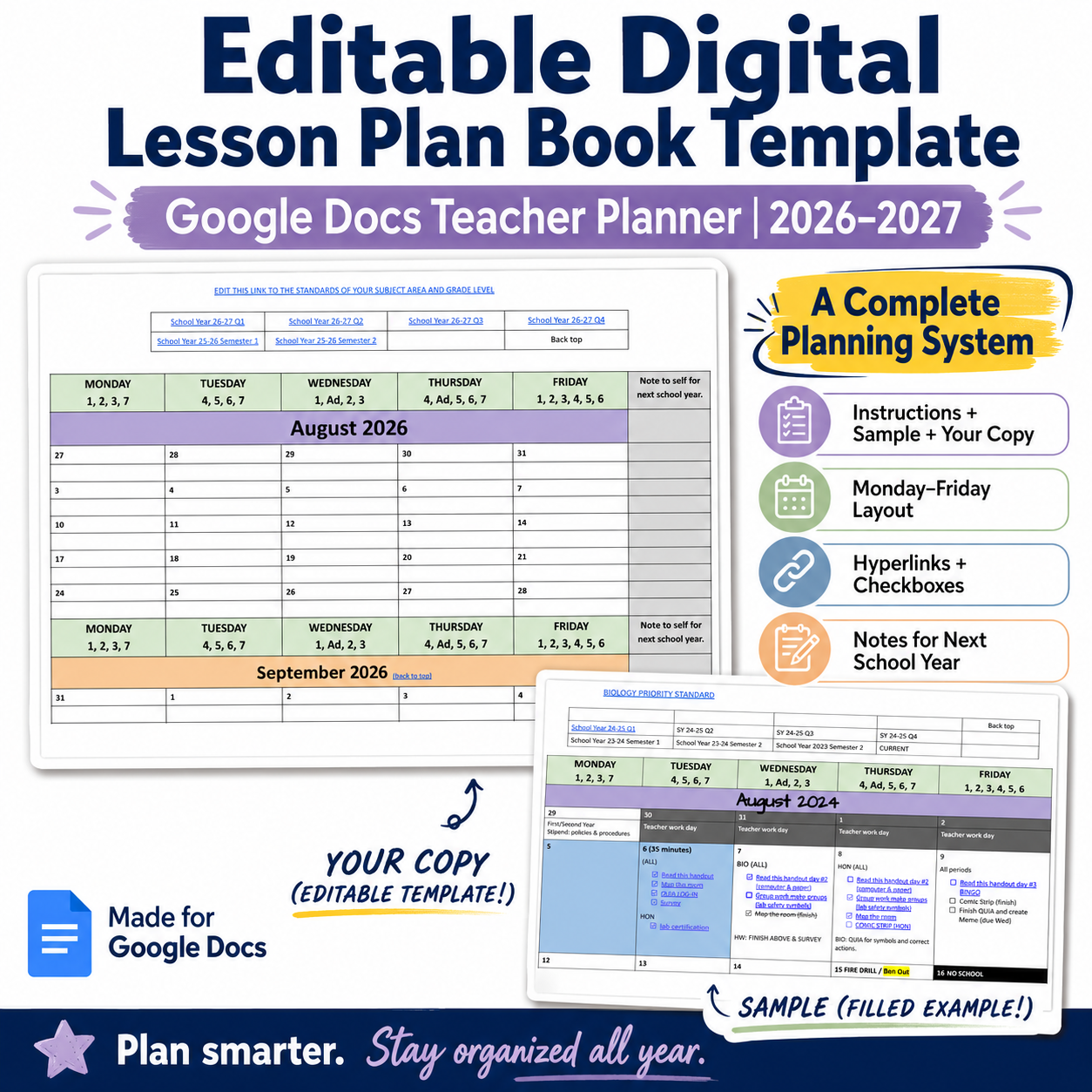
The Editable Digital Lesson Plan Book Template for Google Docs includes:
- a 2026–2027 Monday-through-Friday calendar
- a completed sample
- teacher instructions
- editable navigation links
- preparation checkboxes
- space to hyperlink lesson resources
- notes for the following school year
It is designed for teachers who want to keep their daily plans and digital resources organized in one place.
Find the Editable Digital Lesson Plan Book Template in my Teacher Basics Resources store.